LocalAIStick in detail

A complete AI workplace. Directly from the USB stick.

Chat, understand documents, analyze and create images, read answers and export them as PDFs - locally on your Windows PC and without a user account.
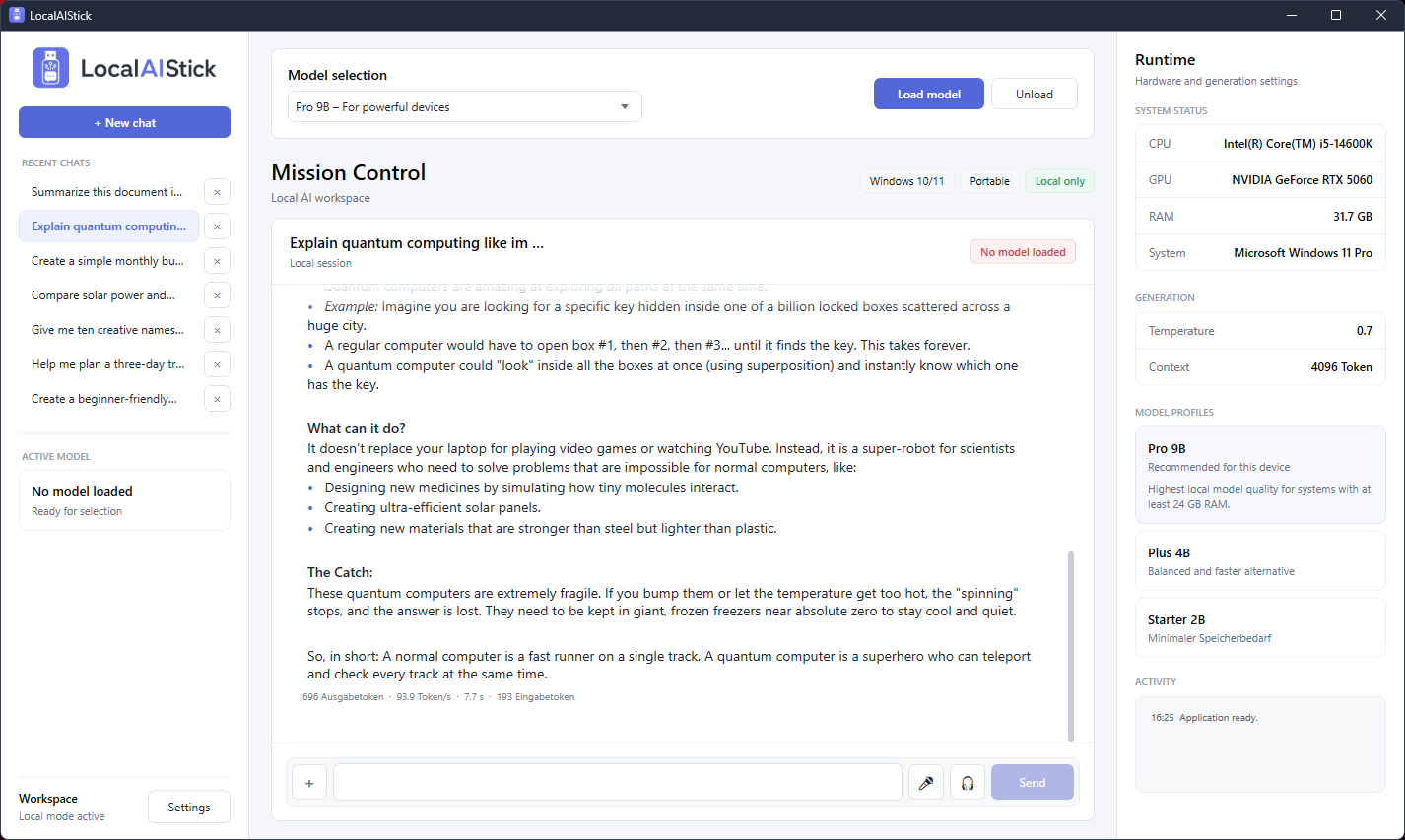
Full LocalAIStick interface with chat, model selection, history and hardware display
The real application: chat histories on the left, workspace in the middle and hardware and model status on the right.
10Surface languages
3local chat models
12+File formats
0Cloud compulsion
Local AI chat

Answers that arise on your computer.

LocalAIStick combines the familiar operation of modern chat with a completely local llama.cpp runtime.
  • Live streaming: Answers appear during calculation without blocking the interface.
  • Real gradients: Chats automatically receive titles and are saved directly to the stick.
  • Clean display: Headings, lists, tables, links, quotes, inline code and code blocks are formatted.
  • Continue to use directly: Highlight text, copy it, read it aloud or open an answer in the PDF editor.
  • Transparent performance: Input and output tokens, duration and tokens per second are displayed.
  • Controllable: Current expenses can be stopped; Text that has already been created is retained.
Included in chat
MarkdownStructured and copyable
ContextCan be set up to 8,192 tokens
System promptDefine role, tone and format
GenerationTemperature, top P and response length
Portable historyChats travel on the stick
Activity indicatorUnderstandable status messages instead of a technology log
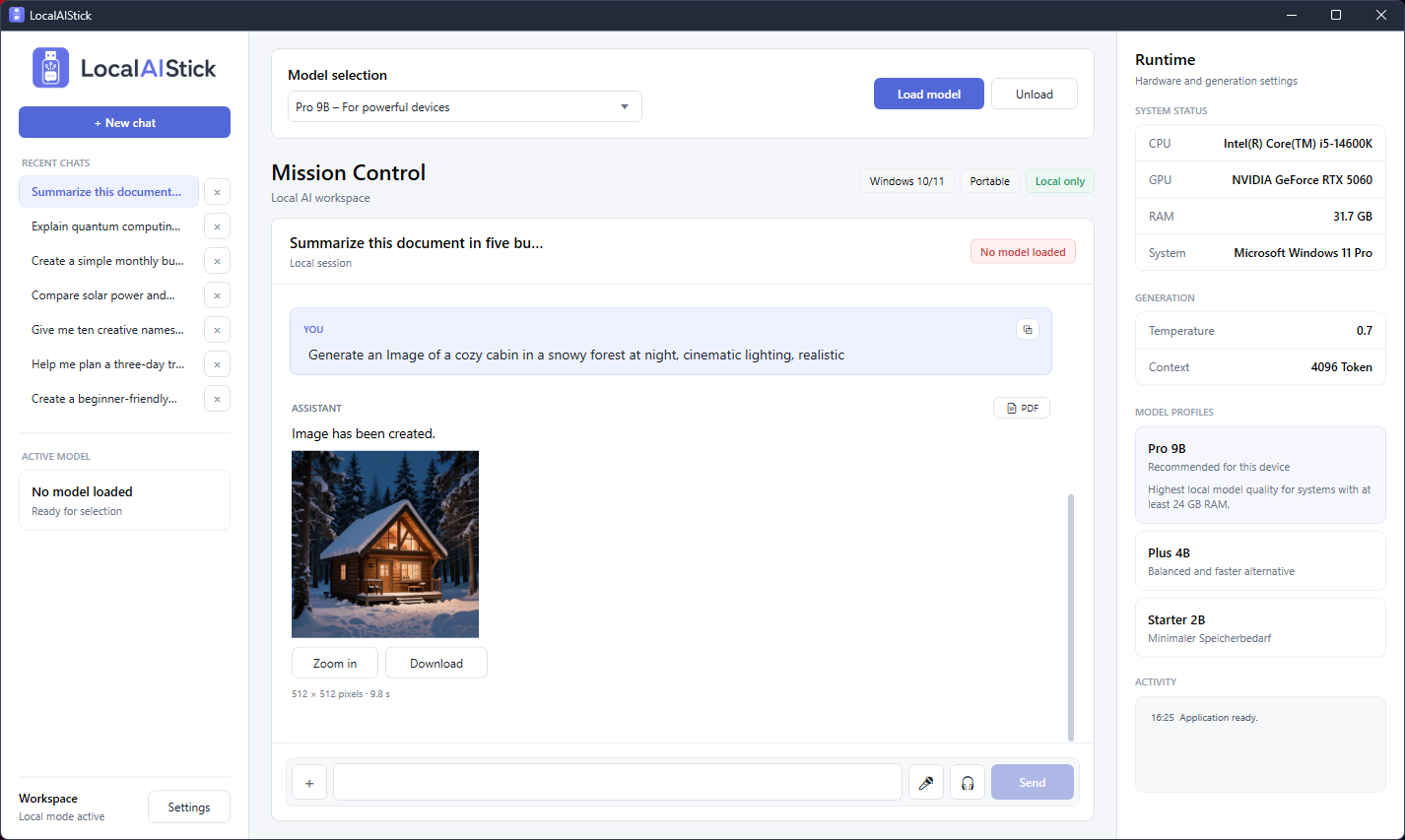
LocalAIStick generates an image locally and displays it directly in the chat
An image prompt is recognized, processed locally and displayed in the chat as a savable PNG.
Image AI

Understanding images and creating new images.

LocalAIStick combines multimodal image understanding and local image generation in the same interface.

  • Analyze images: Photos, screenshots, diagrams and scanned PDF pages can be described, compared or evaluated.
  • Generate images: Formulate the wish naturally or use the command /image.
  • Multilingual recognition: Image requests are recognized in all ten supported languages.
  • Own dimensions: Desired dimensions can be specified directly in the prompt; The default is 512 × 512 pixels.
  • Available directly: The result can be enlarged, saved as a PNG or transferred to a PDF export.
  • Portable storage: Generated images are stored in the folder data/generated-images saved on the stick.

Local image generation will only start if the hardware check confirms sufficient available resources. This protects slower or unsuitable systems from being overloaded.

Documents & PDF

From document to finished PDF – without cloud upload.

Files are read locally as context. If desired, a good answer can be turned into a professional PDF document.
  • Text PDFs: Included text is extracted using the portable Poppler runtime.
  • Scanned PDFs: If there is no usable text, pages are rendered locally and viewed through the vision model.
  • Further documents: TXT, Markdown, CSV and JSON can be attached together with a question.
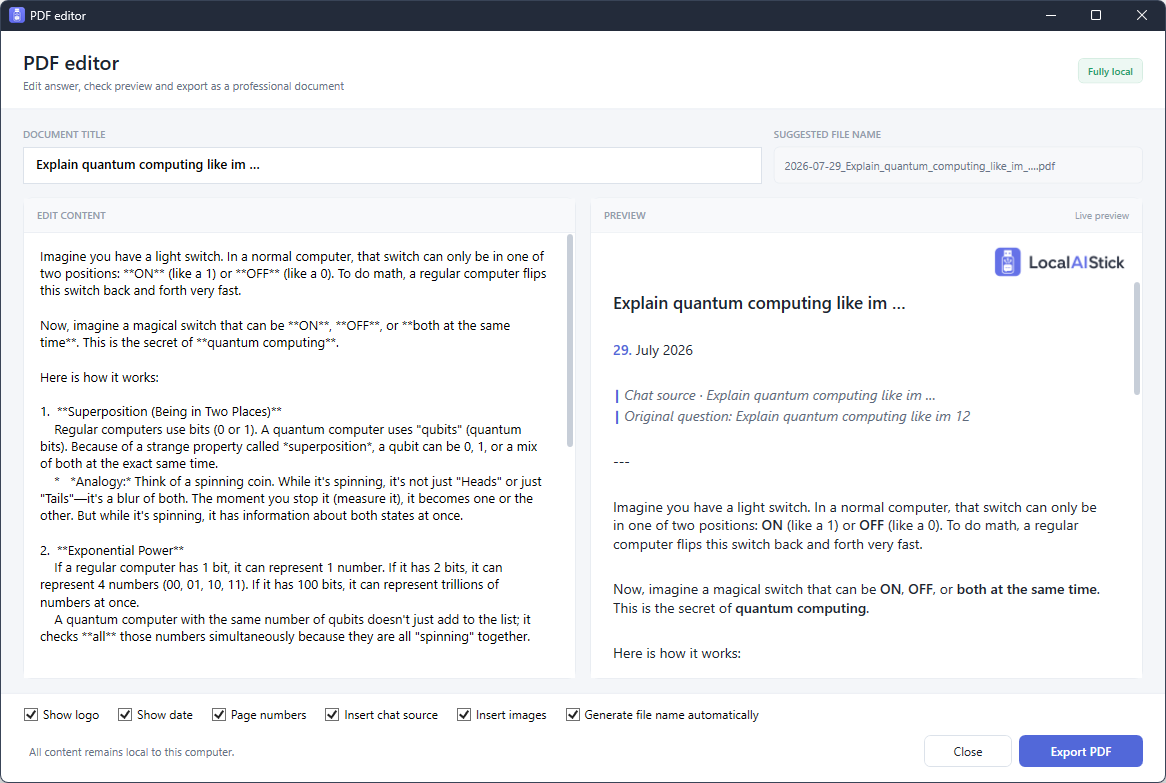
  • PDF editor: Edit title and answer and simultaneously check the result in a live preview.
  • Export options: Switch logo, date, page numbers, original chat question and images on or off.
  • Structure remains intact: Headings, lists, tables, code blocks, links and images are transferred to the A4 PDF.
LocalAIStick PDF editor with editable content and live preview
Edit the left, check the right and then export locally as a PDF.
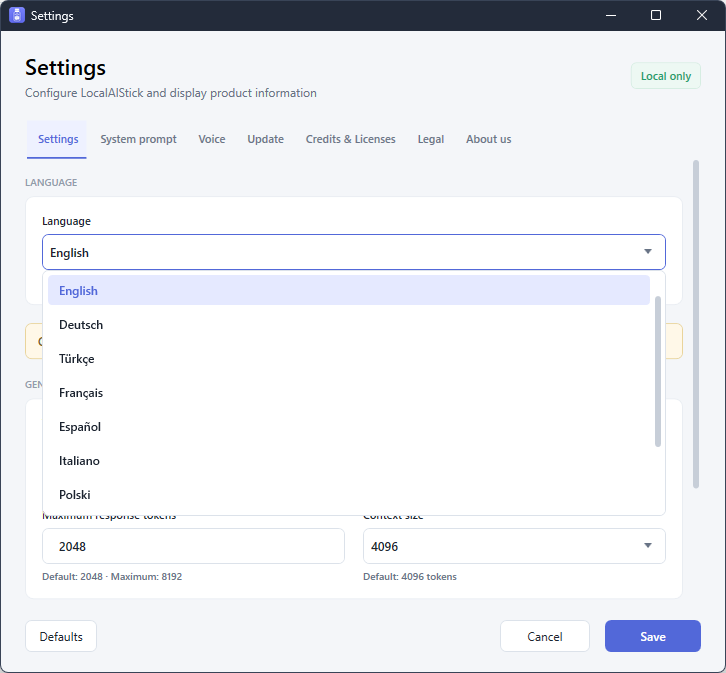
LocalAIStick settings with language selector open
The language is selected in the settings or adopted automatically by Windows.
Multilingual & voice controlled

One interface in ten languages.

Menus, status messages, dialogs and tools are fully localized. “System default” automatically adopts a suitable Windows language.

EnglishDeutschTürkçeFrançaisEspañolItalianoPolskiNederlandsPortuguêsРусский
  • Intelligent response language: The assistant follows the language of your current message; If the text is unclear, the selected surface serves as a default.
  • Voice input: Spoken text is transferred to the input field via the local Windows language functions.
  • Push to talk: Hold the microphone button, speak, release and send.
  • Talk mode: Speak the request, read the answer automatically and then continue listening.
  • Read aloud: Play assistant answers with locally installed Windows voices, adjustable volume and 0.75x to 2x speed.

Available recognition and output voices depend on the voice components installed locally in Windows.

Three model profiles

The right balance for your computer.

LocalAIStick recommends a profile based on the detected hardware. You can choose the model yourself at any time.

Clear names instead of model technology.

Starter 2B, Plus 4B and Pro 9B make the selection understandable. The respective vision projectors are included locally.
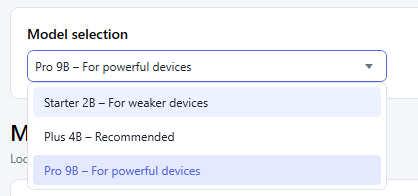
Opened LocalAIStick model selection with Starter 2B, Plus 4B and Pro 9B
FAST & ECONOMICAL

Starter 2B

For weaker laptops and systems with little free RAM.

  • ProfileEfficient
  • QuantizationQ4_K_M
  • visionIncluded
HIGHER QUALITY

Pro 9B

For high-performance systems when better results are more important than speed.

  • ProfilePowerful
  • QuantizationQ4_K_M
  • visionIncluded
Function overview

Everything that comes with the stick.

The central tools are connected in one application and use the same portable data storage.

Local chat

Streaming, context history, markdown, copy, stopping and real-world token metrics.

File attachments

Select multiple images, PDFs or text files together and use them as context.

vision

Understand images and rendered PDF pages with the vision projector included with the chat model.

Image generation

Recognize multilingual image requests, calculate them locally, enlarge them and save them as PNG.

PDF

PDF editor

Edit answers, check them live and output them as an A4 PDF with selectable components.

🎤

Voice input

Windows local speech recognition, push-to-talk and continuous conversation mode.

🔊

Read aloud

Listen to answers with Windows voices, volume and speed controls installed.

10 languages

Interface, image request recognition and language-dependent assistant answers.

Chat persistence

History, metrics, images and settings remain directly on the portable storage device.

Hardware automatic

Detect CPU, GPU, RAM and Windows, recommend model and select appropriate backend start.

Fine adjustments

Set system prompt, temperature, top-P, response token, context size, image token and backend.

Protected updates

Optionally search for new versions online; Data, logs and models are protected during updates.

Technology without hurdles

Portable down to the last detail.

Not only the interface, but also the .NET runtime, AI backends, model profiles, vision components and PDF tools are in the portable package.

data/Chats, settings and generated images
models/Chat, vision and image models
runtime/llama.cpp, Stable Diffusion and Poppler
logs/Local diagnostics and activity logs

Three automatic chat backends

Launch via Vulkan, normal CPU build or static CPU compatibility build. The order can be set automatically or manually.

Windows 10/11 · x64

Self-contained .NET 8 WPF application. No setup, no separately installed .NET runtime and no administrator rights in normal operation.

Supported attachments

PDFPNGJPEGWebPGIFBMPTXTMarkdownCSVJSON

Local use, optional internet

Chat, analysis, image generation and PDF creation work locally. Only a consciously started update check requires an internet connection.

Does LocalAIStick suit your application?

We help with questions about hardware, models, image generation and availability.

Inquire without obligation